You Paid for That Storage — So Why Are Manufacturers Already Using It?
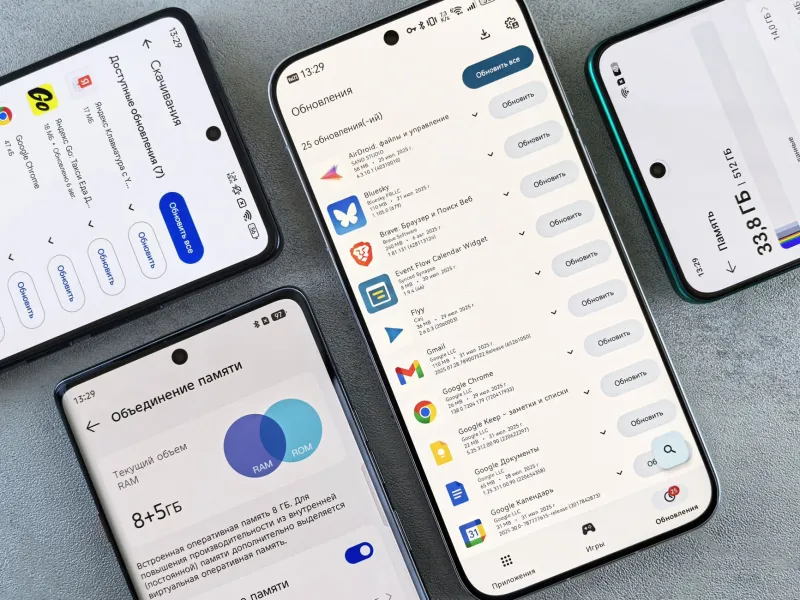
There's a specific kind of frustration that hits when you buy a brand-new phone, fire it up for the first time, and discover that a chunk of your storage is already gone. You haven't installed anything yet. You haven't transferred your photos. You just... opened the box. And somehow, you're already behind.
Welcome to the bloatware tax — the quiet toll every major phone manufacturer collects the moment you power on.
We spent time cataloging pre-installed apps across some of the most popular phones in the US market right now, from Samsung's Galaxy lineup to Google's Pixel series to Apple's iPhone. What we found wasn't exactly shocking, but it was a lot more detailed — and a lot more annoying — than most people realize.
What Even Counts as Bloatware?
Let's define the term before we go further. Bloatware is any pre-installed software that the user didn't choose and doesn't necessarily want. That can mean carrier apps (looking at you, T-Mobile Tuesdays and Verizon's My Verizon), manufacturer apps that duplicate features already built into the OS, or third-party deals where companies pay to have their app pre-loaded on your device.
Not all of it is useless — some pre-installed apps are genuinely helpful. But a lot of it sits there, taking up space, occasionally running in the background, and contributing to a slightly slower, slightly more cluttered experience than you paid for.
The Android Side: A Wide Spectrum
Android is where bloatware really gets interesting, mostly because the ecosystem is so fragmented. Google's own Pixel phones are on the cleaner end — a fresh Pixel 8 comes with around 30 pre-installed apps, most of which are core Google services. A few (like the Pixel-exclusive apps) are genuinely integrated with the hardware. The overhead is real but relatively lean.
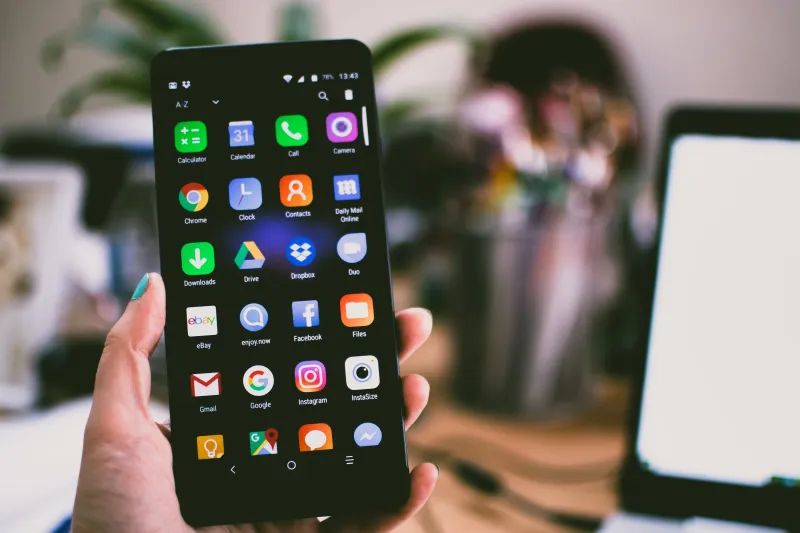
Samsung is a different story. A Galaxy S24 purchased through a US carrier can arrive with north of 40 pre-installed apps — sometimes closer to 50 depending on the carrier. You've got Samsung's own duplicates of Google apps (Samsung Calendar alongside Google Calendar, Samsung Pay next to Google Wallet, Samsung Notes next to Google Keep), plus whatever carrier-specific apps got bundled in through the distribution deal. AT&T, Verizon, and T-Mobile all have their own suites of apps that come pre-loaded on devices sold through their stores.
In raw storage terms, bloatware on a carrier-sold Samsung device can consume anywhere from 4GB to 8GB right out of the box — before your wallpaper, before your contacts sync, before a single photo. On a 128GB device, that's already 3–6% of your total storage spoken for by software you never requested.
Motorola and OnePlus tend to run cleaner than Samsung but aren't spotless. Motorola's My UX skin is fairly minimal, though carrier variants still get the usual bundle of operator apps. OnePlus has cleaned up its act considerably in recent years, though it still ships with some Amazon and Netflix pre-installs on certain models.
The iPhone Situation Is More Complicated Than You Think
Apple gets a reputation for keeping things tidy, and compared to a carrier-loaded Samsung, the iPhone does look pretty clean. But "clean" is relative.
A stock iPhone ships with around 35 Apple-made apps. Some of those — Phone, Messages, Safari, Settings — are genuinely core to the operating system. Others, like Stocks, Tips, Compass, and the Apple TV app, are harder to justify as essentials. Apple has allowed users to delete some of its own apps since iOS 10, but "delete" is a bit of a euphemism. Many of them aren't truly removed — they're hidden, with the core frameworks still sitting on the device. The actual storage savings from "deleting" the Stocks app, for instance, is measured in megabytes, not gigabytes.
What Apple doesn't have is the carrier bloatware problem. Because Apple controls its own distribution channel and has long maintained strict terms with carriers, iPhones sold through Verizon or AT&T don't arrive with a pile of carrier apps pre-loaded. That's a meaningful advantage that doesn't get talked about enough.
The Battery Angle Nobody Talks About Enough
Storage is the visible cost. Battery drain is the sneaky one.
Pre-installed apps that you've never opened can still request background app refresh permissions, ping for updates, and maintain low-level system connections. On Android, some manufacturer and carrier apps are set as system apps, which means they run with elevated permissions and can't be fully stopped by the user without root access.
Independent testing by developers and Android enthusiasts on platforms like XDA Forums has repeatedly shown that stripping out bloatware through ADB (Android Debug Bridge) commands can meaningfully improve battery life on devices like Samsung's Galaxy series — sometimes adding 30–60 minutes of screen-on time per charge. That's not a rounding error. That's a real-world difference.
Apple's tighter control over background processes means the battery impact of its own pre-installed apps is more contained. But it's not zero — and with Apple Intelligence features now pre-loading across the system, the calculus is shifting.
Can You Actually Remove Any of This?
On iPhone: You can delete or hide a limited set of Apple's first-party apps. You cannot remove core system apps or touch the underlying frameworks. No carrier apps to worry about, though.
On Android (Samsung, specifically): This is where it gets complicated. Some pre-installed apps can be uninstalled normally. Others can only be "disabled" — they're still on the device but won't run. A third category is system-level apps that can't be touched without ADB commands or root access, both of which void warranties and carry real risk if you don't know what you're doing.
For most regular users, the practical options are: disable what you can, ignore the rest, and accept that some of your storage is just gone.
Google's Pixel phones offer the most flexibility here — more apps are fully removable, and the system-level bloat is smaller to begin with.
What You Can Do Right Now
If you're on Android, go to Settings > Apps and sort by storage. Anything you haven't touched in months that you didn't install yourself is a candidate for disabling. You won't get all your storage back, but you'll reduce background activity.
If you're on iPhone, go to Settings > General > iPhone Storage to see what's actually taking up space. Delete any Apple apps you genuinely never use — even if the savings are modest, a cleaner app library means a cleaner experience.
For anyone buying a new Android phone: consider purchasing unlocked directly from the manufacturer's website instead of through a carrier store. You'll still get manufacturer apps, but you'll skip the carrier layer entirely — and that alone can save you 1–2GB and a handful of background processes.
The Bottom Line
Bloatware isn't a new problem, but it's one the industry has quietly decided is acceptable because most consumers don't think about it. You buy a 128GB phone expecting 128GB, and by the time you get to the home screen, the math already doesn't add up.
Apple has a structural advantage here thanks to its direct carrier relationships, but it's not without its own version of the problem. Samsung is the most aggressive offender in the US market. And across the board, the battery impact is real and underreported.
Your phone is yours. The apps on it should be too.